A casual yet comprehensive comparison of Namecheap vs Hostinger for bloggers, beginners, and small businesses. I break down pricing, speed, features, and ease of use (with stats and screenshots) to help you decide which hosting fits your needs.
Table of Contents
Quick Overview
When I first started looking into web hosting for my blog, I noticed Namecheap vs Hostinger comparisons pop up a lot. Both promise affordable plans and easy setup, but they take different approaches. For example, you may wonder “Namecheap vs Hostinger – which is better for me?” I break down the facts below so you can decide for yourself.
Namecheap vs Hostinger: Pricing & Plans Comparison
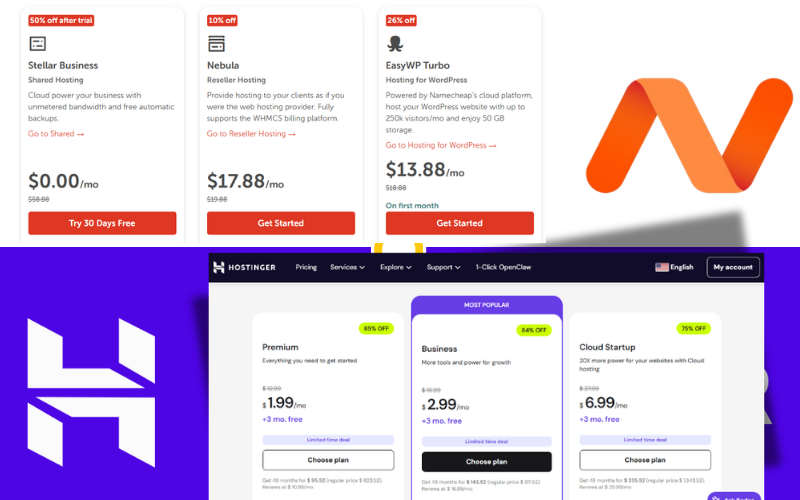
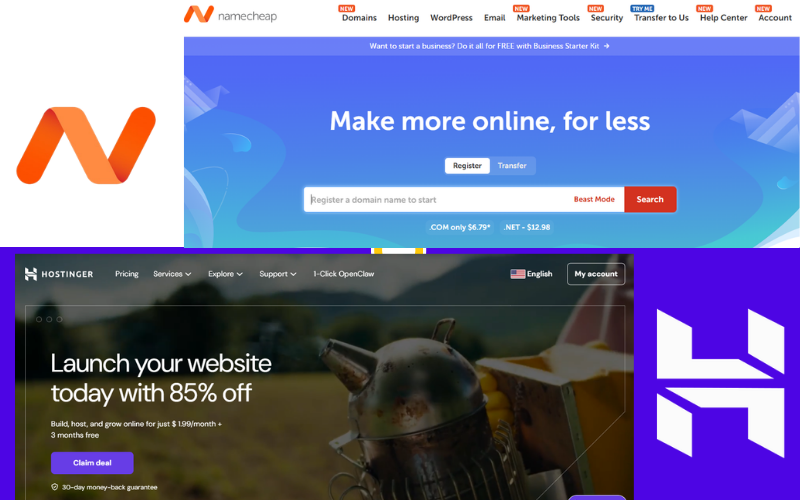
Price is often a first consideration. In the Namecheap vs Hostinger pricing battle, Namecheap usually advertises a lower entry price, while Hostinger locks in the cheapest rates with longer commitments. For example, Namecheap’s basic shared hosting starts at around $1.98/month (with a 24-month term), whereas Hostinger’s entry-level plan is about $2.49/month but requires a 48-month commitment. If you only need a short-term solution, Namecheap’s sticker price is tempting.
Both packages bundle different freebies. Hostinger typically includes a free domain for the first year on Premium and higher shared hosting plans. Namecheap, on the other hand, only provides a free domain on certain plans and often not for a .com. Namecheap does include free WHOIS privacy on domains by default, which is great for protecting your personal info (outside the hosting package). So if you want a free .com domain, Hostinger will cover that in many cases.
Here’s a quick breakdown:
- Shared Hosting: Namecheap’s Stellar plan from ~$1.98/mo vs Hostinger’s Premium from ~$2.99/mo.
- Managed WordPress: Hostinger’s Premium WP plan (3 sites) starts around $2.49/mo, while Namecheap’s EasyWP Starter (1 site) starts around $6.88/mo. Hostinger lets you run more WordPress sites on its cheaper plan.
- Renewal Pricing: Hostinger’s low promo rates require longer commitments (e.g. 4 years) and renew at a higher price, whereas Namecheap’s renewal fees are more moderate. Over time, that can make Namecheap cheaper for the first few years, but Hostinger often wins out once you factor in all its extra features.
Namecheap vs Hostinger: Features & Freebies
When comparing Namecheap vs Hostinger, you’ll notice they both include many standard features (like free SSL and site builders), but the details differ:
- Domain: Hostinger includes a free domain on Premium (and higher) hosting plans for the first year. Namecheap includes free domain privacy by default, but doesn’t automatically throw in a free .com (unless on certain plans).
- Privacy: Namecheap includes free WHOIS privacy for domains, whereas Hostinger charges extra (around $5–8/year). This can add up if you have many domains.
- Storage: Hostinger uses NVMe SSD storage (much faster) on its higher plans, while Namecheap still relies on standard SSDs. Hostinger’s setup can serve large files and heavy traffic more quickly, which is great for growing sites.
- SSL Certificates: Hostinger provides free Let’s Encrypt SSL certificates that auto-renew for your site’s lifetime. Namecheap also gives a free PositiveSSL for the first year on shared hosting, but after that you have to pay.
- Website Builders & Tools: Both offer one-click installers and site builders. Hostinger’s dashboard includes helpful automation (even an AI assistant for updates). Namecheap’s system (EasyWP or cPanel) is simpler and more manual. If you’re not a developer, I found Hostinger’s wizards saved time by handling WordPress installs and updates for me.
- Backups: Hostinger’s higher plans include regular automatic backups (weekly or daily on Business plans). Namecheap’s shared hosting does backups twice a week. More frequent backups mean less worry about losing content, so I slightly favor Hostinger here.
- CDN: Hostinger offers a LiteSpeed CDN on most plans. Namecheap also provides a CDN (Supersonic) but limits it to 50GB/month on shared hosting. If you have a global audience, Hostinger’s unlimited caching is a nice plus.
- Email: Namecheap and Hostinger both provide free email accounts on many plans (usually a couple of mailboxes for the first year). This is pretty similar, so I wouldn’t make it a major deciding factor for a small site.
Overall, Hostinger packs more extras into its plans (free domain, faster storage, unlimited caching, auto-updates, etc.). You can think of Hostinger like a bundle deal – “pay a bit extra and get all of this” – whereas Namecheap is more stripped-down and a bit cheaper. Not to say Namecheap lacks features, just that Hostinger’s feature list gives you more bang for your buck. Think of Namecheap as a basic airline ticket (cheap fare, minimal perks) and Hostinger as a full-service flight (higher price but includes bags, meals and entertainment). Both get you to your destination, but Hostinger comes with more “perks” included.
Namecheap vs Hostinger: Performance & Speed
Website speed was a priority for me in my Namecheap vs Hostinger tests. A slow site can hurt user experience and SEO, so I ran GTmetrix reports on both hosts for comparison.
GTmetrix performance report for a Namecheap-hosted site. In this test, the site fully loaded in about 0.809 seconds. The server’s Time to First Byte (TTFB) was 339ms, which is solid. Overall, a 0.8-second load time is very good for shared hosting.
GTmetrix performance report for a Hostinger-hosted site. Here, the site fully loaded in 0.763 seconds – slightly faster. Hostinger’s TTFB was only 207ms, noticeably quicker than Namecheap’s. The main content painted in 0.668s, which is excellent, and the layout was stable as it loaded.
So in my tests, Hostinger had the edge: faster server response and slightly quicker page loads. Both sites finished under 1 second, but Hostinger “felt” snappier due to the lower TTFB.
WebsitePlanet’s tests echoed this: they gave both hosts top GTmetrix scores, and Namecheap’s test site loaded in 0.06s vs Hostinger’s 0.08s. Practically, that difference is negligible. However, on uptime, Hostinger hit 100% over 30 days, while Namecheap saw about 99.93% (roughly 11 minutes downtime). So Hostinger also has a small edge in reliability there.
Bottom line: Both Namecheap and Hostinger deliver fast performance. Hostinger’s newer NVMe drives and caching give it a slight speed advantage, but Namecheap’s lean setup is still very quick. If your site grows large and every millisecond counts, Hostinger will serve content faster. If you have a simple blog, Namecheap will feel snappy enough.
Namecheap vs Hostinger: Ease of Use
Since neither of us are server experts, dashboard design matters. Hostinger’s custom hPanel is very clean and beginner-friendly. It looks modern (like a sleek app), and it even offers a handy AI assistant for tasks. After signing up with Hostinger, I saw everything on one page: my domains, hosting plan info, and quick actions (like “Add Website” or “Manage”). For example, setting up WordPress was almost automatic via a wizard (it installed WP and SSL in under 2 minutes).
Hostinger’s dashboard (hPanel) makes management easy. The main area is fully visual and centralized, with shortcuts and status at a glance. I found I could see the status of my sites and manage backups or SSL without digging through menus. Hostinger’s interface felt like a clean mobile app – intuitive and uncluttered.
Namecheap’s interface is more traditional. It uses the standard cPanel for hosting and a separate panel for domains. It’s powerful and offers lots of options, but I found it felt busier. For instance, installing WordPress meant opening Softaculous in cPanel, selecting options, and waiting. If you’re used to cPanel, it’s fine, but for a newbie it can be overwhelming.
For ease of use, Hostinger wins. Namecheap isn’t hard, but Hostinger’s dashboard felt more intuitive. In analogy, using Hostinger’s panel was like using a guided smartphone app, whereas Namecheap’s control panel was like navigating a busy desktop menu.
Namecheap vs Hostinger: Support & Help
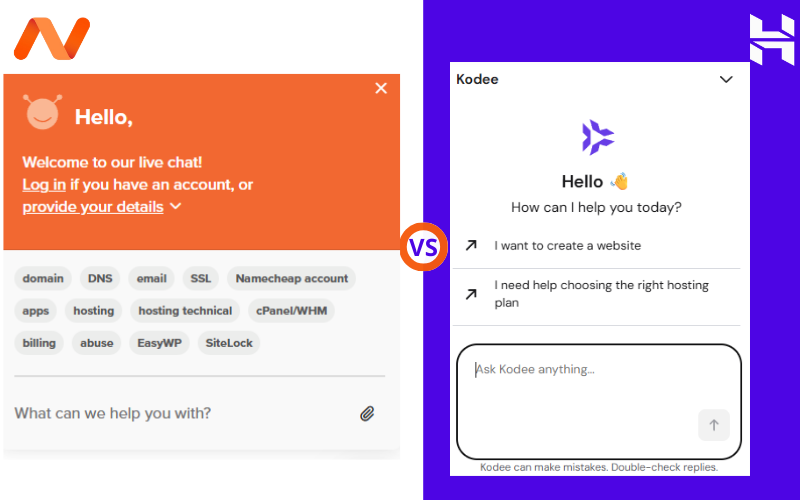
Both Hostinger and Namecheap offer 24/7 support. I found that each company has live chat and ticket support. Hostinger’s live chat reps responded quickly and gave helpful answers. Namecheap’s support (live chat and tickets, plus phone on some plans) is also solid, especially for domain issues since they’re a big registrar. Both have extensive knowledge bases. In my chats, I found both companies eager to help with problems. Namecheap even offers 24/7 phone support (Hostinger does not), which can be handy if you want real-time voice help. Overall, I gave both support teams high marks.
Namecheap vs Hostinger: Which to Choose?
Here’s how I’d decide based on real-world needs:
- Tight Budget (Namecheap): If your main goal is saving money now, Namecheap’s lower entry price (especially on shorter terms) is attractive. It’s great for personal blogs, portfolios, or small landing pages. Think of it like a reliable economy sedan – it’s affordable and gets the job done.
- Growing Site or Business (Hostinger): If you expect traffic or features to grow (e.g. e-commerce, memberships, heavy media), Hostinger makes more sense. You pay a bit more upfront, but you get faster NVMe storage, a free domain, daily backups on Business plans, and built-in caching. It’s like buying a car with extra features (cruise control, better stereo, etc.) – worth the extra cost if you need them.
- WordPress Sites (Hostinger): Both hosts support WordPress, but Hostinger’s managed WP plans are much cheaper and generous. You can host multiple WP sites on Hostinger for less than Namecheap charges for one. Plus Hostinger automates updates and has WordPress-specific caching. So if WordPress is your CMS of choice, Hostinger is the better deal.
- Domain-Focused (Namecheap): If you already have all your domains at Namecheap and want a simple hosting extension, staying with Namecheap is fine. You’ll get free WHOIS privacy forever (Hostinger would charge extra). Just remember, you won’t get a free .com domain unless you pick a special plan on Namecheap.
- Global Audience: Hostinger has many data centers worldwide (12 locations) and includes an unlimited CDN, helping your site load faster for international visitors. Namecheap’s fewer data centers (4 locations) and limited CDN are more suitable for local audiences. This makes Hostinger the better choice if you expect global traffic.
- Expert Ratings: In head-to-head Namecheap vs Hostinger comparisons, HostAdvice gave Hostinger a 5.0 and Namecheap a 4.2, mainly due to Hostinger’s superior performance and features.
In summary: for a very basic blog or portfolio on a budget, Namecheap is fine. For almost any site that plans to grow (or for multiple WordPress blogs), Hostinger’s higher performance and extras make it the better long-term choice. Personally, after all this testing, I lean toward Hostinger. The speed boost and modern interface made my test site feel faster and easier to manage. But either host is a solid bargain – both will run a small site well. Think of Namecheap as a budget economy car—basic and cheap—while Hostinger is like a mid-range sedan with more power and features. Both can get you where you need to go, but Hostinger will reach there faster and with more extras.
Namecheap vs Hostinger: Final Verdict
For a small blog on a tight budget, Namecheap is fine. For a growing site, Hostinger’s extra features and speed give it the edge. After testing, I personally lean towards Hostinger.
FAQ
- Namecheap vs Hostinger – which is cheaper? Namecheap’s advertised starting rate (~$1.98/mo) is lower than Hostinger’s (~$2.49/mo). However, Hostinger’s lower price requires a 4-year commitment, and its renewals jump up later. Also consider value: Hostinger includes freebies (domain, backups, etc.) that Namecheap doesn’t. In the end, Hostinger often proves a better deal once you factor in all the extras.
- Namecheap vs Hostinger – which is faster? Both hosts are fast (sub-1s load times). Hostinger usually has a quicker server response (TTFB ~207ms vs Namecheap ~339ms), thanks to NVMe and caching. Independent tests also found Namecheap loading in 0.06s vs Hostinger 0.08s – essentially a tie. Overall, Hostinger’s tech gives a slight speed edge, but both will feel very snappy to users.
- Namecheap vs Hostinger – which is better for beginners? Hostinger’s custom hPanel and guided setup make it very beginner-friendly. Namecheap’s interface is more traditional (cPanel) and can feel more cluttered. Both offer tutorials, but I found Hostinger easier to navigate if you’re new to hosting.
- Namecheap vs Hostinger – which includes a free domain? Hostinger includes a free domain on Premium+ hosting plans (for the first year). Namecheap only includes a free domain on specific higher-tier plans (and usually not a .com). So generally, Hostinger will get you a free .com domain, whereas Namecheap often will not.
- Namecheap vs Hostinger – who offers free SSL? Hostinger provides free Let’s Encrypt SSL certificates for the lifetime of your sites. Namecheap gives a free PositiveSSL certificate on shared hosting only for the first year, after which you must pay. So Hostinger’s SSL is always free, Namecheap’s is free just once.
- Can I switch between them later? Yes. Both hosts make migration easy. Hostinger offers automated migrations, and Namecheap can manually migrate your site. It’s usually straightforward to move a WordPress site or files between hosts if you change your mind.
- Namecheap vs Hostinger – which is better for WordPress? Both support WordPress well. Hostinger’s managed WP plans are much cheaper (e.g. 3 sites at $2.49/mo) than Namecheap’s EasyWP plans (1 site at $6.88/mo). If you run multiple WP sites or need built-in WP optimizations, Hostinger is the more cost-effective choice.
- Which should I choose? If your top priority is price today, Namecheap wins on initial cost. If you want more features (speed, freebies) and plan to grow your site, Hostinger’s performance and extras make it the smarter pick. Remember, both hosts offer money-back guarantees (30 days), so you can try either risk-free.